

Simplifying Sitemap Concerns After Chrome 158's Update
On November 17, Chrome 158 rolled out an update that could easily cause confusion for website owners and managers, especially those using WordPress. The update dropped support for client-side XSLT (Extensible Stylesheet Language Transformations), a feature that some WordPress SEO plugins have relied on for displaying sitemaps visually. As a small or medium enterprise (SME), understanding how this change affects your website is crucial, especially when monitoring your presence in search engine results.
What Does This Mean for Your WordPress Sitemap?
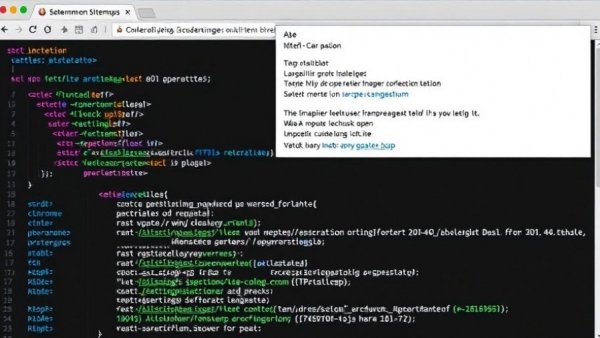
For years, when you would open your WordPress sitemap URL in Chrome, it would process and style the sitemap’s XML code into a neat HTML table using an .xsl stylesheet. Now, with the release of Chrome 158, the absence of XSLT support means that site visitors—whether they be clients or users—will see a wall of raw XML tags instead of the user-friendly format they’re accustomed to. This shift is particularly important for SMEs who may not be fully tech-savvy.
However, it's important to note that search engines like Google and Bing don’t rely on this styling when crawling your site. They read the underlying XML nodes instead, meaning your sitemap's functionality remains intact even if it's visually unappealing. This can prevent unnecessary panic, especially during critical periods like Google’s November core update, which started on November 10.
Understanding the Role of Sitemaps in SEO
Sitemaps play a pivotal role in the SEO landscape, acting like a roadmap for search engines. By providing a structured list of your site’s pages, sitemaps help search engines efficiently index your content and improve your site's visibility. For SMEs, a well-functioning sitemap can directly impact visibility and, ultimately, sales. Therefore, assuring that your sitemap is operating properly remains a priority.
Checking Your Sitemap’s Health
To confirm that your sitemap is working properly, you can check Google Search Console. This tool will indicate if Google can read your sitemap without any problems. Navigate to Indexing > Sitemaps to find the previous status of your submitted sitemaps. If the Status column reads 'Success' in green, then you’re in good shape! Google’s ability to parse the XML structure confirms that your site is functioning as intended.
In addition, if you find any errors or warnings, Google Search Console provides resources and guidance on how to resolve those issues, allowing you to maintain your website’s health. Incorporating proactive sitemap checks into your routine can contribute to better overall website performance.
What About WordPress Core and Plugin Updates?
It's essential to stay updated on how the release of new plugins and updates to WordPress core affect your site. According to current reports:
- WordPress Core: The next update (7.2), scheduled for December 8, will remove core XSLT support, but there will be no SEO impact. This means you can expect raw XML display in Chrome until that version is officially released.
- Yoast SEO: Version 28.9 is making strides to replace XSLT with CSS styling, restoring the visual element we’re used to. However, as of November 17, the latest version is still in beta.
- Rank Math: This plugin confirmed that the change only affects how information is displayed visually, with no negative impact on SEO.
- AIOSEO: While still using XSLT-styled sitemaps for now, AIOSEO has no announced plans for alternative styling. Again, SEO remains unaffected.
Managing Client Concerns During Updates
With the overlap of Chrome 158’s launch and the November core update, there’s a fair chance clients might see the unformatted XML and panic about SEO rankings. This is where good communication comes into play. Explain that the absence of visual styles in Chrome doesn’t equate to any functional loss in sitemap performance. Emphasizing this to ongoing site audits and client queries can alleviate concerns.
One effective strategy is to provide a brief educational session for clients, helping them understand the technicalities behind sitemaps and how these affect SEO without aesthetic concerns. This not only fosters trust but also empowers them to make informed decisions regarding their website’s SEO health.
What Should SMEs Focus On?
As an SME, it can be tempting to focus heavily on the visual aspects of your website, but it’s essential to remember that functionality comes first. Here are a few key takeaways:
- Monitor tools like Google Search Console: Regular checks can help you stay ahead of any issues regarding your sitemap.
- Stay informed on plugin updates: Ensure your SEO plugins are up to date to maintain optimal website performance and adapt to changes swiftly.
- Communication is key: Always reassure clients and stakeholders that functional website elements remain unaffected by cosmetic changes, enhancing their confidence in your management capabilities.
Conclusion: Don't Worry, Be Proactive
In this time of transition, with Chrome dropping XSLT support and updates to major plugins on the horizon, awareness and proactive measures are essential. While structural changes can seem alarming, prioritizing communication and utilizing the right tools can shield both you and your clients from the storms of confusion. The bottom line is that with the right approach, SMEs can navigate these updates smoothly without compromising their online presence.
For further insights and updates on optimizing your digital presence, join our newsletter or explore our blog! Keeping informed allows you to stay proactive and ready to tackle any challenges head-on, ensuring your business thrives in an ever-evolving digital landscape.





Write A Comment